Piping progress you can see.
Know which lines are due, which are finished and how the job is tracking.
Included in the £200 monthly team plan, plus VAT or local tax.

This week’s work
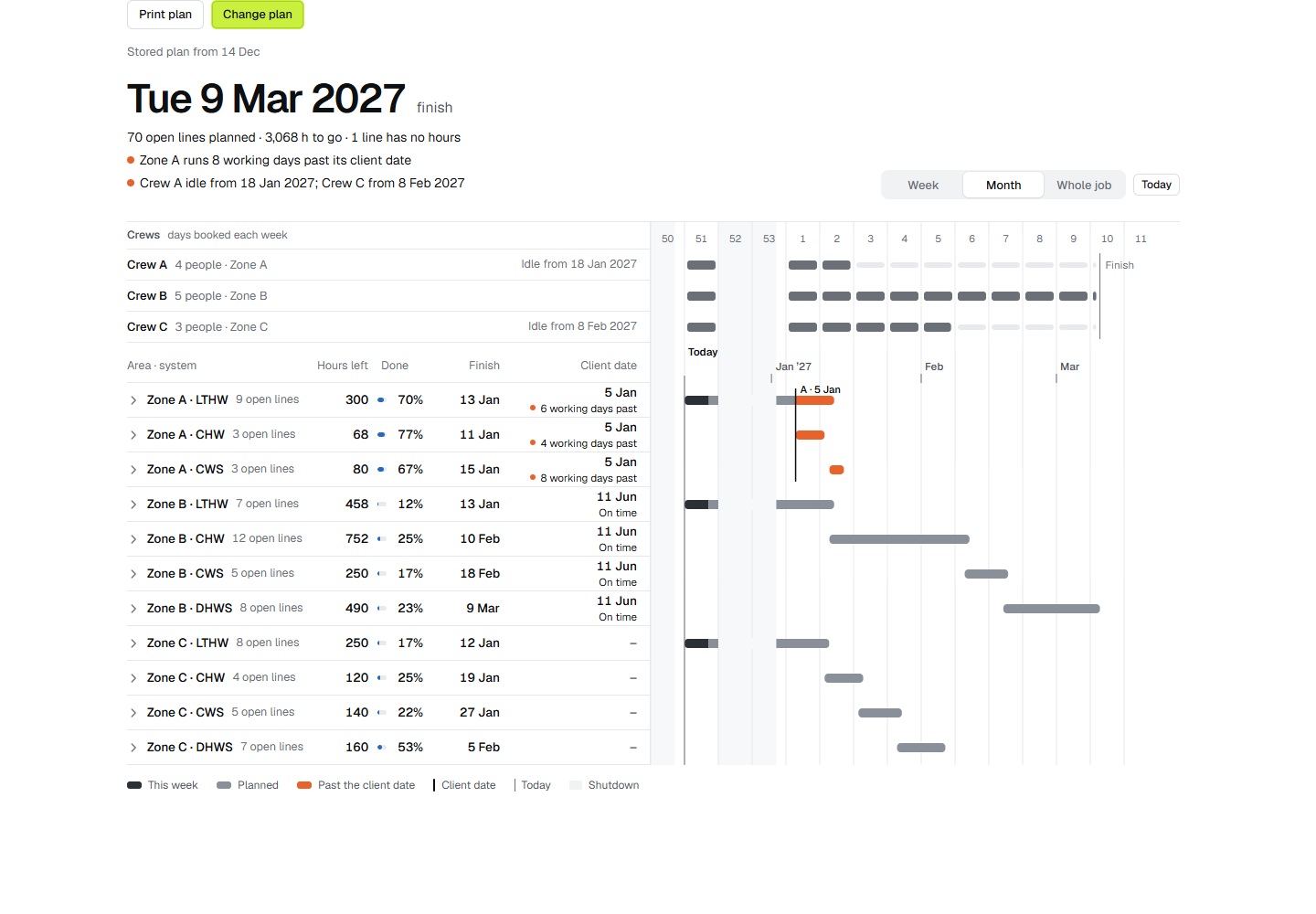
Select a whole line in the model and assign its week and crew. Metriq uses your labour norms and crew size to suggest how long the work will take.
Your team can see the work in the model and in the weekly list on a phone.
Planned and done
Follow the planned work, actual progress and work remaining on the same basis. Read the percentage and curve together.
The week’s report
Share progress in Excel and PDF. See completed work separately from corrections to earlier records.
Keep the main programme in P6
Use the main contractor’s key dates in your internal piping plan. Bring the dates from an XER file or enter them by hand.
Start from your take-off
Progress works from the take-off of your NWD model with property data. If the model has no zones, organise whole lines into areas or systems in Metriq.
The same model, through the job.
Take-off, planning and progress in the monthly plan.